FLUX.2 [klein] 9B with LoRA support is a high-quality text-to-image model with 9B parameters, offering enhanced realism, crisper text generation, and fast LoRA customization. Ready-to-use REST inference API, best performance, no cold starts, affordable pricing.
Idle
$0.015per run·~66 / $1
ExamplesView all
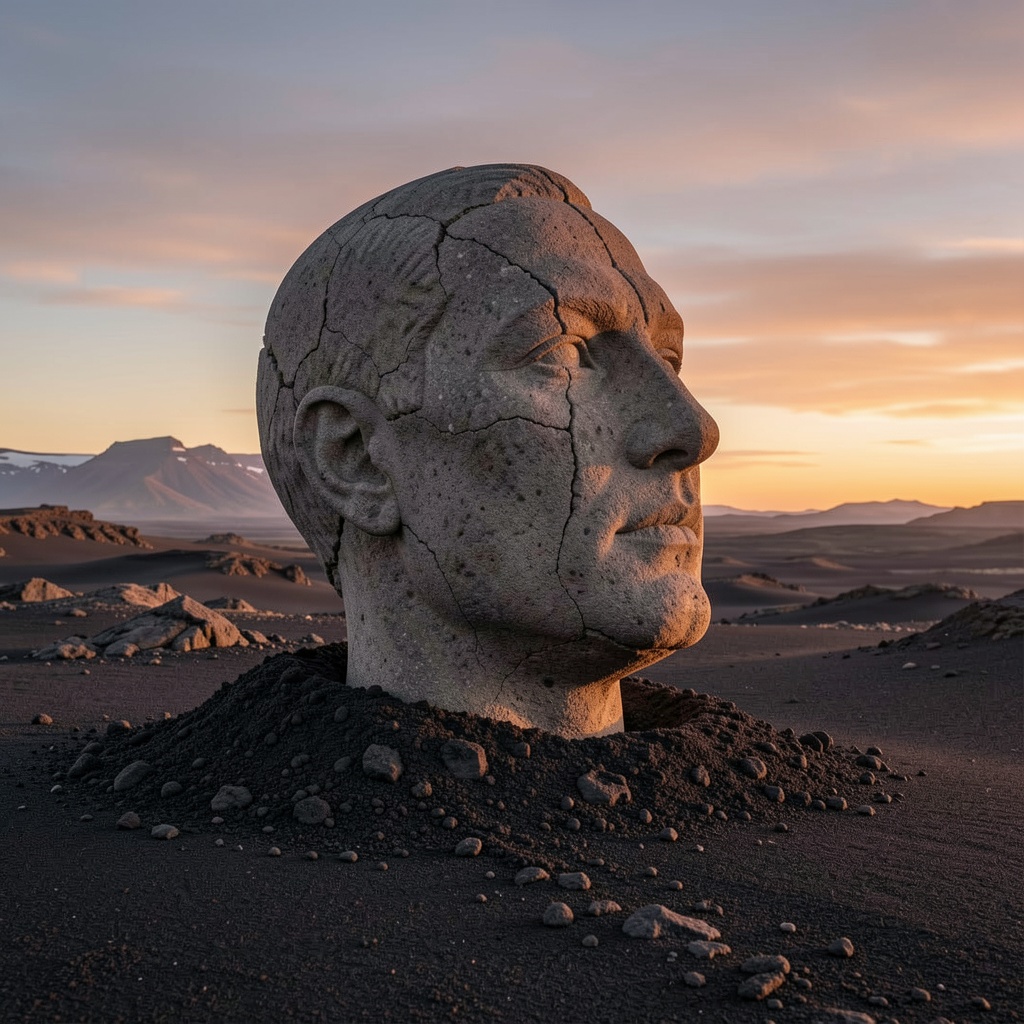
head made of stone of the big art deco sculpture buried in half in icelandic ash on the black desert, late sunset light, intrinsic, photorealistic
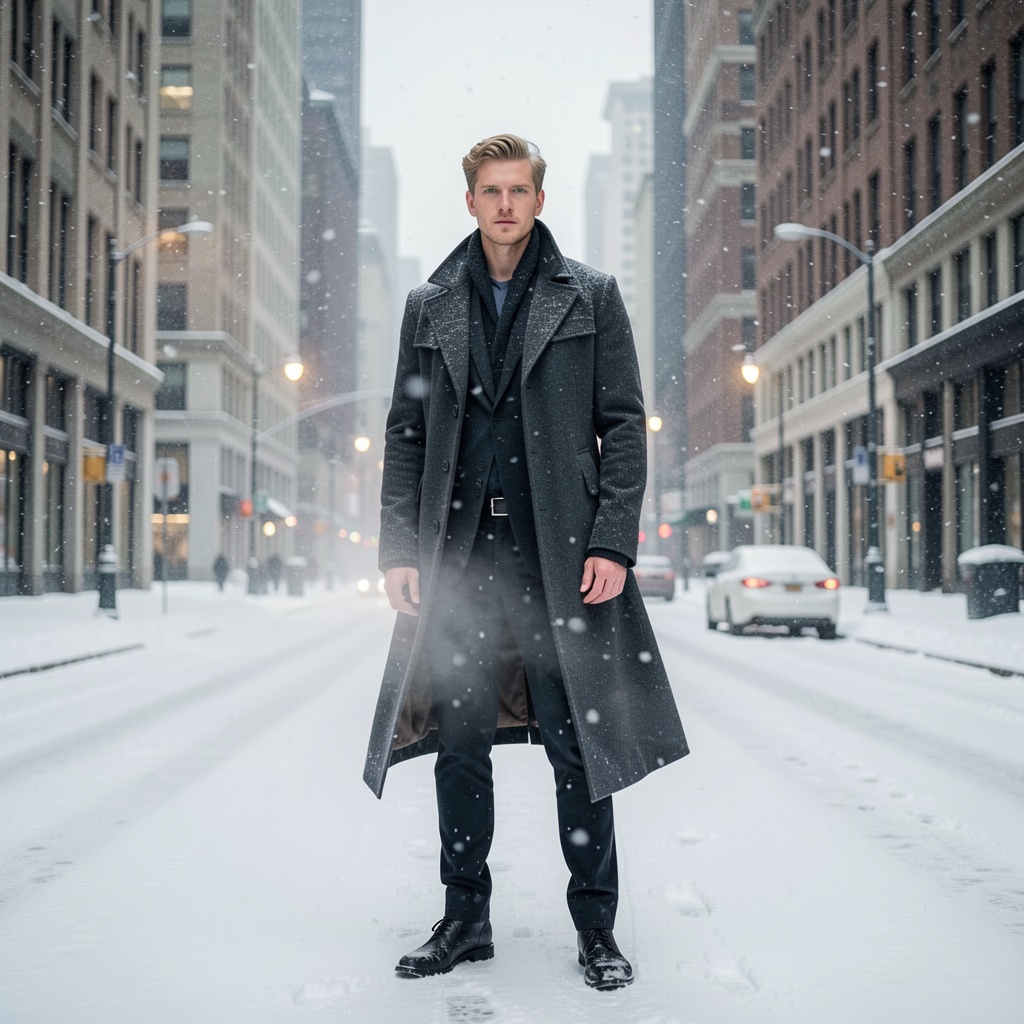
A full-body editorial fashion photoshoot featuring a white male model with green eyes, standing on a wide city avenue lined with tall urban buildings in winter, heavy snowfall dominating the scene, snow-covered streets and sidewalks, icy air visible in breath, overcast winter sky with soft diffused daylight, cool muted color palette, cinematic lighting with gentle rim light through falling snow, high-fashion winter wardrobe with structured silhouettes and flowing fabrics, wind-driven snow adding motion, elegant and dramatic mood, ultra-realistic photography, shallow depth of field, subtle bokeh background, Vogue-style editorial aesthetic, atmospheric urban winter setting

full body Animation Cartoon werewolf man with long white beard wearing black drop shoulder oversize Graphic T shirt and , satan demonic style , evil mode, white eyes, tattoo number 18 on neck , looking to the eyes the sky, concept artt, award of the year, wide view, insanely detailed, comic 3d Render, thick outline stroke , poster style,vivid background
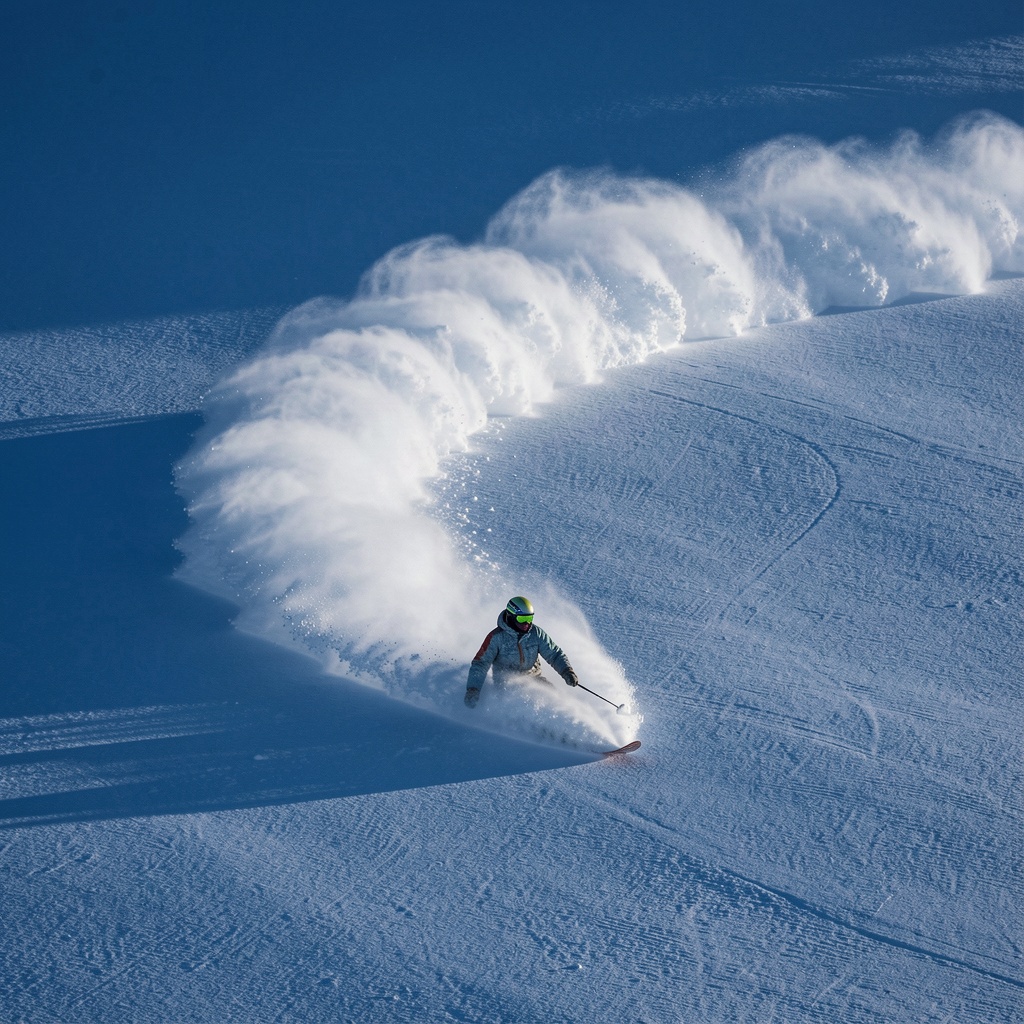
a snowboarder carving through powder, leaving behind an arc of white on the pristine surface of deep blue snow. award-winning photography, in the style of realistic photography.

a small intelligent dog wearing glasses and a purple knit sweater sitting at a laptop, looking at the camera as if welcoming the viewer, soft warm lighting, background in pastel lilac tones, minimalist setup, cozy and photorealistic style, cinematic composition, shallow depth of field, style photographic
Related Models



README
FLUX.2 Klein 9B Text-to-Image LoRA
FLUX.2 Klein 9B Text-to-Image LoRA is a powerful text-to-image generation model with full LoRA support. With 9B parameters, it delivers higher quality and detail compared to the 4B variant while maintaining fast generation. Apply custom LoRA adapters for personalized styles and characters.
Why Choose This?
-
Enhanced quality 9B parameter model delivers richer detail and better prompt understanding than the 4B variant.
-
LoRA support Apply custom LoRA adapters for personalized styles, characters, or visual aesthetics.
-
Flexible sizing Custom width and height controls for any aspect ratio.
-
Prompt Enhancer Built-in tool to automatically improve your prompts for better results.
-
Balanced performance More capable than 4B while remaining fast and affordable.
Parameters
| Parameter | Required | Description |
|---|---|---|
| prompt | Yes | Text description of the image you want to generate |
| width | No | Output width in pixels (default: 1024) |
| height | No | Output height in pixels (default: 1024) |
| loras | No | List of LoRA adapters to apply |
| seed | No | Random seed for reproducibility (-1 for random) |
LoRA Format
Each LoRA in the loras array has:
- path (required) — URL to the LoRA weights file
- scale (optional) — Weight multiplier, default 1
How to Use
- Write your prompt — describe the image including subject, style, lighting, and mood.
- Set size — adjust width and height for your desired dimensions.
- Add LoRAs (optional) — click "+ Add Item" to include custom LoRA adapters.
- Set seed — use -1 for random, or specify a number for reproducibility.
- Run — submit and download the generated image.
Pricing
| Item | Cost |
|---|---|
| Per image | $0.015 |
Simple flat-rate pricing regardless of image size or LoRA count.
Best Use Cases
- Custom Character Generation — Apply character LoRAs for consistent identity.
- Style Personalization — Use style LoRAs for unique visual aesthetics.
- Brand Content — Create on-brand visuals with trained LoRA styles.
- High-Quality Output — When 4B quality isn't enough but full-size models are overkill.
- Production Work — Balanced quality and cost for professional content.
Pro Tips
- Be specific in your prompts — include subject, style, lighting, colors, and atmosphere.
- Start with LoRA scale 1.0 and adjust based on results.
- Combine multiple LoRAs for hybrid styles (e.g., character + art style).
- Use the same seed to compare different prompts or LoRA combinations.
- If your LoRA uses trigger words, include them in your prompt.
Notes
- LoRAs can be stacked for combined effects.
- For best results, use LoRAs trained on FLUX-compatible models.
- 9B model offers better detail than 4B at slightly higher cost.
Related Models
- FLUX.2 Klein 9B Text-to-Image — Standard version without LoRA support.
- FLUX.2 Klein 4B Text-to-Image LoRA — Lighter 4B version at lower cost.
- FLUX.2 Pro — Flagship-quality text-to-image generation.
Flux 2 Klein 9b Text To Image Lora API — Quick start
Grab a WaveSpeedAI API key, then call POST https://api.wavespeed.ai/api/v3/wavespeed-ai/flux-2-klein-9b/text-to-image-lora with your input as JSON. The endpoint returns a prediction id; poll the prediction endpoint until status flips to completed, then read the output URL from data.outputs[0]. Examples for Flux 2 Klein 9b Text To Image Lora below.
HTTP example
# Submit the prediction
curl -X POST "https://api.wavespeed.ai/api/v3/wavespeed-ai/flux-2-klein-9b/text-to-image-lora" \
  -H "Content-Type: application/json" \
  -H "Authorization: Bearer $WAVESPEED_API_KEY" \
  -d '{
    "prompt": "A cinematic shot of a city at sunset, soft golden light",
    "size": "1024*1024",
    "seed": -1,
    "enable_sync_mode": false,
    "enable_base64_output": false
}'

# Response includes a prediction id. Poll for the result:
curl -X GET "https://api.wavespeed.ai/api/v3/predictions/{request_id}/result" \
  -H "Authorization: Bearer $WAVESPEED_API_KEY"

# When status is "completed", read the output from data.outputs[0].
Node.js example
// npm install wavespeed
const WaveSpeed = require('wavespeed');

const client = new WaveSpeed(); // reads WAVESPEED_API_KEY from env

const result = await client.run("wavespeed-ai/flux-2-klein-9b/text-to-image-lora", {
        "prompt": "A cinematic shot of a city at sunset, soft golden light",
        "size": "1024*1024",
        "seed": -1,
        "enable_sync_mode": false,
        "enable_base64_output": false
});

console.log(result.outputs[0]); // → URL of the generated output
Python example
# pip install wavespeed
import wavespeed

output = wavespeed.run(
    "wavespeed-ai/flux-2-klein-9b/text-to-image-lora",
    {
    "prompt": "A cinematic shot of a city at sunset, soft golden light",
    "size": "1024*1024",
    "seed": -1,
    "enable_sync_mode": false,
    "enable_base64_output": false
}
)

print(output["outputs"][0])  # → URL of the generated output
Flux 2 Klein 9b Text To Image Lora API — Frequently asked questions
What is the Flux 2 Klein 9b Text To Image Lora API?
Flux 2 Klein 9b Text To Image Lora is a WaveSpeedAI model for AI inference, exposed as a REST API on WaveSpeedAI. FLUX.2 [klein] 9B with LoRA support is a high-quality text-to-image model with 9B parameters, offering enhanced realism, crisper text generation, and fast LoRA customization. Ready-to-use REST inference API, best performance, no cold starts, affordable pricing. You can call it programmatically or try it from the playground above.
How do I call the Flux 2 Klein 9b Text To Image Lora API?
POST your input parameters to the model's REST endpoint (shown in the API tab of this playground) with your WaveSpeedAI API key in the Authorization header. Submission returns a prediction ID; poll the prediction endpoint until status flips to "completed", then read the output URL from the result. The playground generates a ready-to-paste code sample in Python, JavaScript, or cURL for whatever inputs you've set. Full request/response shape is documented at https://wavespeed.ai/docs/docs-api/wavespeed-ai/flux-2-klein-9b-text-to-image-lora.
How much does Flux 2 Klein 9b Text To Image Lora cost per run?
Flux 2 Klein 9b Text To Image Lora starts at $0.015 per run. That figure is the base price — the final charge scales with the parameters you set in the form (output size, length, count, references, or whatever knobs this model exposes), so a higher-quality or larger output costs more than a minimal one. The exact cost for your current input is shown live next to the Generate button before you submit, and the actual per-call charge is recorded on the prediction afterwards.
What inputs does Flux 2 Klein 9b Text To Image Lora accept?
Key inputs: `prompt`, `size`, `seed`, `enable_base64_output`, `enable_sync_mode`, `loras`. The full JSON schema (types, defaults, allowed values) is rendered above the Generate button and mirrored in the API reference at https://wavespeed.ai/docs/docs-api/wavespeed-ai/flux-2-klein-9b-text-to-image-lora.
How long does Flux 2 Klein 9b Text To Image Lora take to generate?
Average end-to-end generation time on WaveSpeedAI is around 11 seconds per request — measured across recent runs. Queue time scales with global demand; live status is visible in the prediction record.
Can I use Flux 2 Klein 9b Text To Image Lora outputs commercially?
Commercial usage rights depend on the model's license, set by its provider (WaveSpeedAI). The license summary appears on the model card above; see WaveSpeedAI's Terms of Service for platform-level conditions.