Luma Photon is a text-to-image model that converts text prompts into images for prompt-based visual generation. Ready-to-use REST inference API, best performance, no coldstarts, affordable pricing.
Idle

$0.015per run·~66 / $1
ExamplesView all
Baker arranging bread on wooden shelves in a rustic bakery, flour dust in the air, morning glow from the window

Dog curled up on a living room rug, fire crackling in the fireplace, owner reading beside them, soft jazz playing in the background

Street vendor cooking noodles late at night, steam rising from the wok, city lights glowing behind, hungry customers in line

Young man sketching in a notebook under a streetlight at night, quiet alley, distant voices and city hum

A cozy living room on a rainy afternoon, warm lighting, books on the coffee table, a cat curled up on the sofa, real-life atmosphere

Morning sunlight streaming into a small kitchen, steam rising from a coffee mug, unwashed dishes in the sink, a realistic family home

A father helping his child with homework at the dinner table, soft lighting, papers and crayons scattered, homey and emotional vibe
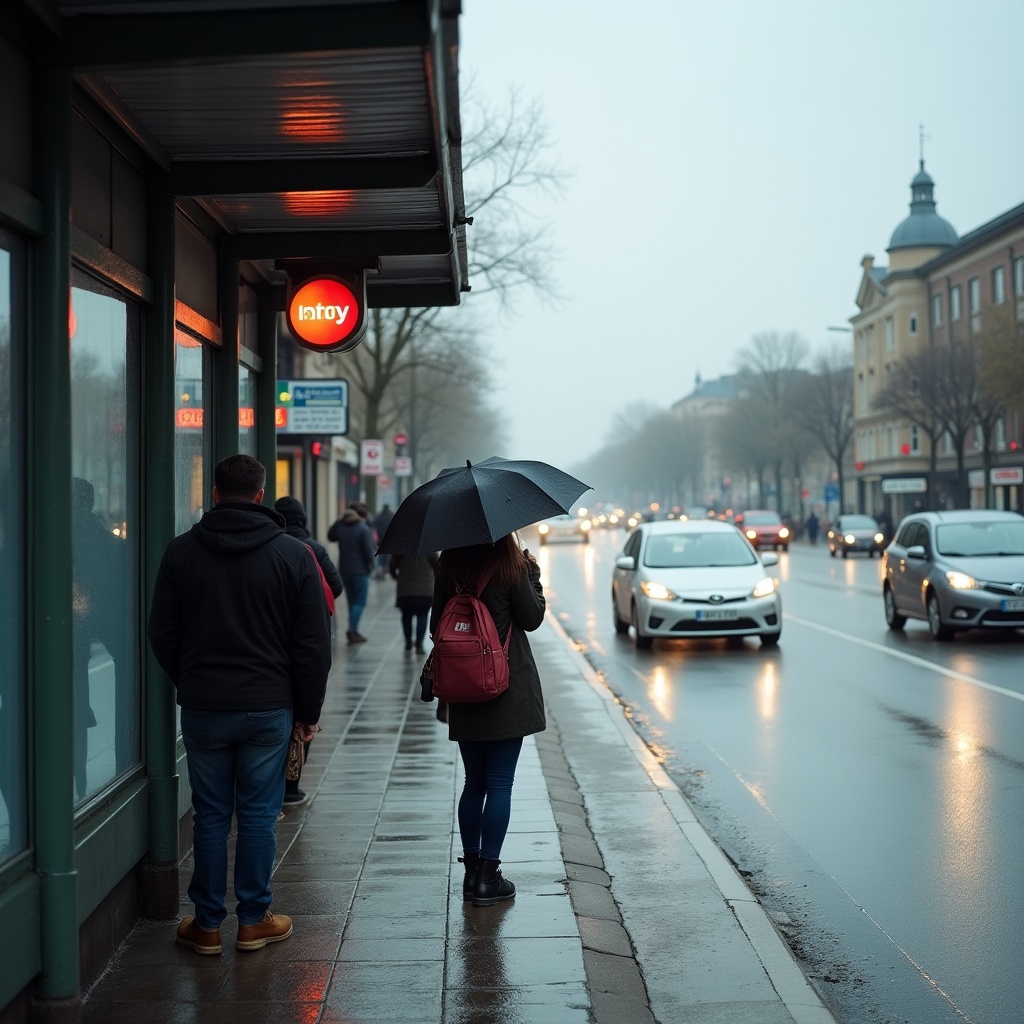
People waiting at a bus stop on a cloudy morning, wet pavement, umbrellas, cars passing by, urban realism

Young woman walking down a quiet city street at sunset, shops closing, soft golden hour light, light breeze moving her coat

A noodle shop kitchen in the middle of dinner rush, steam rising, cooks working fast, bowls stacked high, oil-stained walls
Related Models





README
Luma Photon
Generate beautiful, atmospheric images with Luma Photon — Luma's flagship text-to-image model. Known for stunning lighting, natural compositions, and emotionally resonant scenes, Photon delivers professional-quality results at an affordable price.
Looking for faster generation? Try Luma Photon Flash for speed-optimized output at the lowest cost.
Why It Looks Great
- Stunning lighting: Exceptional at natural light, golden hour, and atmospheric glows.
- Emotional resonance: Creates scenes with mood, warmth, and authentic feeling.
- Natural compositions: Produces balanced, visually pleasing layouts.
- Environmental detail: Rich textures like flour dust, steam, and ambient particles.
- Prompt Enhancer: Built-in tool to refine your descriptions automatically.
- Affordable quality: Professional results at just $0.015 per image.
Parameters
| Parameter | Required | Description |
|---|---|---|
| prompt | Yes | Text description of the image you want to generate. |
How to Use
- Write your prompt — describe the scene, lighting, mood, and atmosphere.
- Use Prompt Enhancer (optional) — click to automatically enrich your description.
- Run — click the button to generate.
- Download — preview and save your image.
Pricing
Flat rate per image.
| Output | Cost |
|---|---|
| Per image | $0.015 |
Best Use Cases
- Lifestyle Photography — Generate authentic, warm scenes of everyday moments.
- Food & Bakery — Create appetizing culinary and artisan imagery.
- Interior Scenes — Produce cozy, inviting indoor environments.
- Portrait & Character — Generate natural-looking people in context.
- Marketing Content — Create professional visuals for brands and campaigns.
Example Prompts
- "Baker arranging bread on wooden shelves in a rustic bakery, flour dust in the air, morning glow from the window"
- "Barista pouring latte art, steam rising, warm cafe lighting, artisan coffee shop"
- "Grandmother reading to grandchild on a cozy couch, soft lamp light, warm evening"
- "Florist arranging bouquet in sunlit shop, petals scattered on counter, peaceful morning"
- "Chef plating dish in restaurant kitchen, focused expression, professional environment"
Model Comparison
| Model | Cost | Speed | Best For |
|---|---|---|---|
| Photon | $0.015 | Standard | Quality output, professional work |
| Photon Flash | $0.005 | Fastest | High-volume, prototyping, budget work |
Pro Tips for Best Results
- Photon excels at natural lighting — describe light sources and quality.
- Include atmospheric particles: "flour dust", "steam rising", "dust motes".
- Specify time of day: "morning glow", "golden hour", "soft evening light".
- Describe textures and materials: "wooden shelves", "rustic", "artisan".
- Add emotional context: "cozy", "peaceful", "focused", "warm".
- Luma models are known for photorealistic, emotionally authentic scenes.
Notes
- Photon delivers Luma's best quality for text-to-image generation.
- Processing is fast with professional-grade output.
- Ideal for final deliverables and client-facing work.
- For rapid iteration at lowest cost, use Photon Flash.
Photon API — Quick start
Grab a WaveSpeedAI API key, then call POST https://api.wavespeed.ai/api/v3/luma/photon with your input as JSON. The endpoint returns a prediction id; poll the prediction endpoint until status flips to completed, then read the output URL from data.outputs[0]. Examples for Photon below.
HTTP example
# Submit the prediction
curl -X POST "https://api.wavespeed.ai/api/v3/luma/photon" \
  -H "Content-Type: application/json" \
  -H "Authorization: Bearer $WAVESPEED_API_KEY" \
  -d '{
    "prompt": "A cinematic shot of a city at sunset, soft golden light",
    "enable_base64_output": false
}'

# Response includes a prediction id. Poll for the result:
curl -X GET "https://api.wavespeed.ai/api/v3/predictions/{request_id}/result" \
  -H "Authorization: Bearer $WAVESPEED_API_KEY"

# When status is "completed", read the output from data.outputs[0].
Node.js example
// npm install wavespeed
const WaveSpeed = require('wavespeed');

const client = new WaveSpeed(); // reads WAVESPEED_API_KEY from env

const result = await client.run("luma/photon", {
        "prompt": "A cinematic shot of a city at sunset, soft golden light",
        "enable_base64_output": false
});

console.log(result.outputs[0]); // → URL of the generated output
Python example
# pip install wavespeed
import wavespeed

output = wavespeed.run(
    "luma/photon",
    {
    "prompt": "A cinematic shot of a city at sunset, soft golden light",
    "enable_base64_output": false
}
)

print(output["outputs"][0])  # → URL of the generated output
Photon API — Frequently asked questions
What is the Photon API?
Photon is a Luma model for image generation, exposed as a REST API on WaveSpeedAI. Luma Photon is a text-to-image model that converts text prompts into images for prompt-based visual generation. Ready-to-use REST inference API, best performance, no coldstarts, affordable pricing. You can call it programmatically or try it from the playground above.
How do I call the Photon API?
POST your input parameters to the model's REST endpoint (shown in the API tab of this playground) with your WaveSpeedAI API key in the Authorization header. Submission returns a prediction ID; poll the prediction endpoint until status flips to "completed", then read the output URL from the result. The playground generates a ready-to-paste code sample in Python, JavaScript, or cURL for whatever inputs you've set. Full request/response shape is documented at https://wavespeed.ai/docs/docs-api/luma/luma-photon.
How much does Photon cost per run?
Photon starts at $0.015 per run. That figure is the base price — the final charge scales with the parameters you set in the form (output size, length, count, references, or whatever knobs this model exposes), so a higher-quality or larger output costs more than a minimal one. The exact cost for your current input is shown live next to the Generate button before you submit, and the actual per-call charge is recorded on the prediction afterwards.
What inputs does Photon accept?
Key inputs: `prompt`, `enable_base64_output`. The full JSON schema (types, defaults, allowed values) is rendered above the Generate button and mirrored in the API reference at https://wavespeed.ai/docs/docs-api/luma/luma-photon.
How long does Photon take to generate?
Average end-to-end generation time on WaveSpeedAI is around 7 seconds per request — measured across recent runs. Queue time scales with global demand; live status is visible in the prediction record.
Can I use Photon outputs commercially?
Commercial usage rights depend on the model's license, set by its provider (Luma). The license summary appears on the model card above; see WaveSpeedAI's Terms of Service for platform-level conditions.